
Download Easy PC Cleaner – PC cleaner, privacy tool, file remover, digital footprint, cleanup utility, browser cache remover, temporary file cleaner
Overview
Easy PC Cleaner is a dedicated utility designed to enhance digital privacy and system performance by removing unwanted files and digital traces from Windows-based computers. The application targets common sources of clutter such as temporary folders, browser caches, search histories, and recent file records, helping users maintain a cleaner, more secure computing environment. Its primary purpose is to reduce the digital footprint left behind during regular internet use, making it especially valuable for individuals who prioritize privacy and confidentiality.
While the app is marketed as a user-friendly solution, it is not intended for advanced system optimization or deep registry repairs. Instead, it focuses on surface-level cleanup tasks that are both safe and reversible. The developer, Easy PC Cleaner, has positioned this tool as a lightweight, accessible option for everyday users seeking to maintain control over their personal data.
Although specific background details about the developer were not provided, the app’s consistent functionality since its release in 2011 suggests a stable, long-standing presence in the utility space. Real-world use cases include preparing a device for resale, clearing personal data before public use, or simply maintaining a cleaner system. In the broader app ecosystem, Easy PC Cleaner serves as a niche but functional tool within the utilities category, offering a no-frills approach to digital hygiene.
Key Features & Functionality
- Quick Trace Removal: The app enables users to rapidly eliminate temporary files, recent file histories, and other digital traces with minimal user input. This feature is ideal for users who want to clear their system quickly without navigating complex menus.
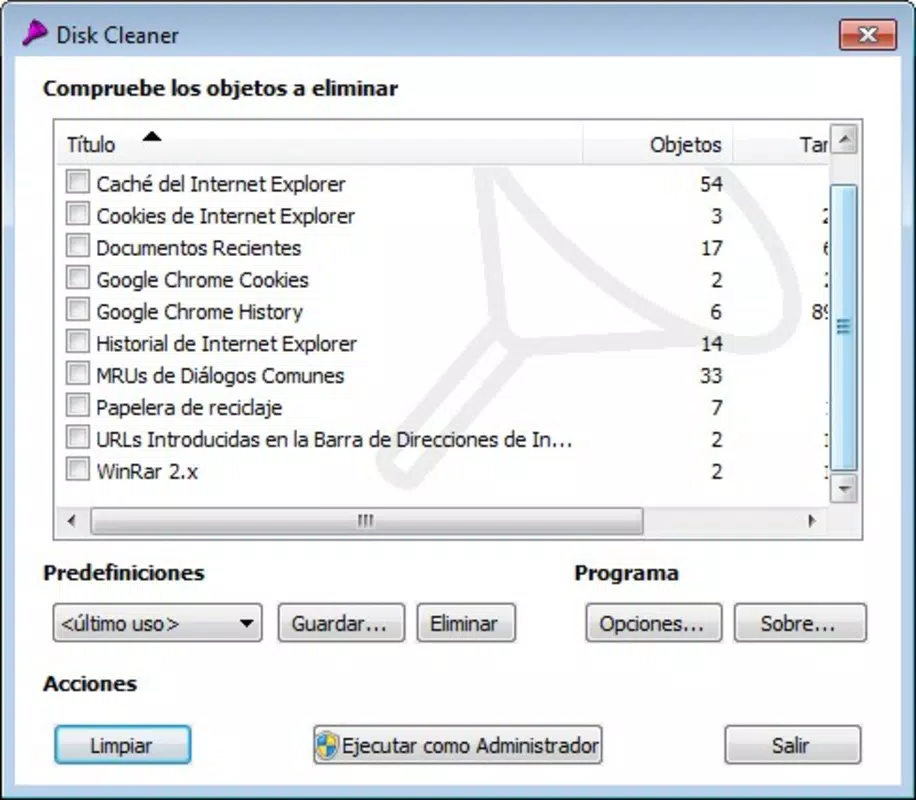
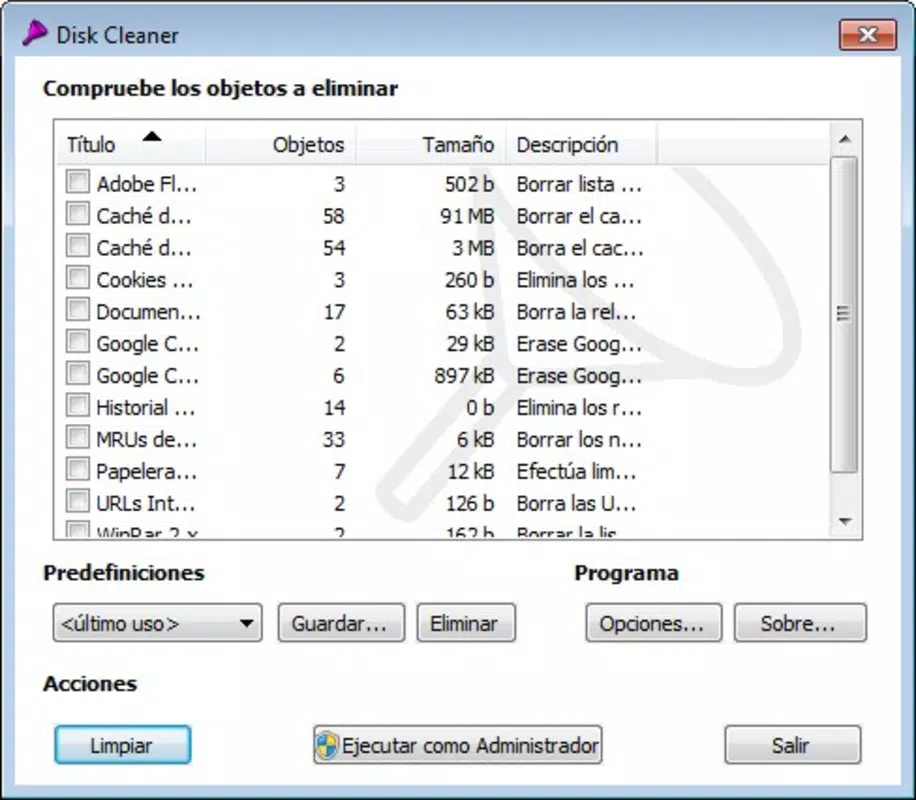
- Browser Data Cleaning: Easy PC Cleaner supports the removal of cookies, cache, and browsing history from major web browsers, including Chrome, Firefox, and Internet Explorer. This helps prevent online tracking and strengthens user privacy.
- Privacy Protection: By systematically erasing data that could be linked to user behavior, the application ensures that no residual information remains after use. This makes it suitable for shared or public computing environments.
- User-Friendly Interface: The app features a simple layout with clear navigation and straightforward controls. Even users with limited technical knowledge can operate it effectively without requiring training or documentation.
- Comprehensive Cleanup: Beyond basic file deletion, the tool performs a full sweep of common clutter sources, aiming to restore the system to a near-fresh state. This is particularly useful before transferring ownership or sharing a device.
For example, a user preparing to sell their laptop can use the app to remove all personal browsing data and temporary files in under a minute. Similarly, someone working in a shared office environment can use it to ensure no trace of their activities remains after a session. The functionality is focused, predictable, and does not include automated scheduling or deep system scans, which keeps the app lightweight and efficient.
Interface, UX & Performance
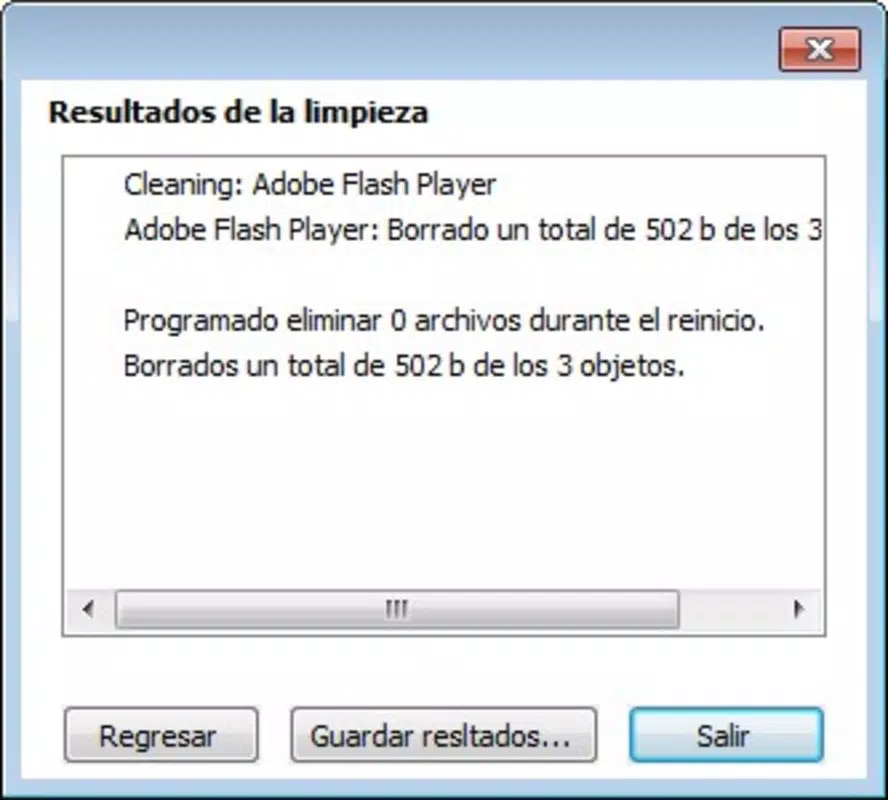
Easy PC Cleaner presents a minimalistic interface with a clean layout and intuitive navigation. The main screen displays clear buttons for initiating common tasks, such as cleaning browser data or removing temporary files. The visual style is functional rather than visually elaborate, emphasizing usability over aesthetics.
Users can access core features with just a few clicks, reducing the learning curve significantly. Although the developer did not list formal performance metrics, the app’s small file size of 2.7 MB suggests it is optimized for low-resource environments. It is expected to run smoothly on older Windows systems without causing significant CPU or memory usage spikes.
Responsiveness is consistent across device categories, though specific testing on various hardware configurations was not disclosed. Stability appears to be maintained over time, given the app’s long-standing presence since 2011. However, no official information was provided regarding update frequency or compatibility with newer Windows versions.
Users should exercise caution when deploying the tool on systems with strict security policies or enterprise configurations.
Platform Compatibility & Technical Requirements
Easy PC Cleaner is designed exclusively for the Windows platform. The application is compatible with Windows operating systems, though specific OS versions were not listed by the developer. The software version is 1.0.0.0, indicating a stable, early release with no major updates documented.
The file size is 2.7 MB, which is relatively small, suggesting minimal system impact during installation and operation. The app is available at no cost, making it accessible to a wide range of users. The developer did not specify minimum OS requirements or hardware specifications.
As such, compatibility with modern Windows versions such as Windows 10 or 11 cannot be confirmed without additional testing. Users are advised to verify functionality on their specific system before relying on the tool for sensitive tasks.
Pros and Cons
Pros
- Lightweight design with minimal system resource usage
- Simple, intuitive interface suitable for non-technical users
- Effective removal of browser cookies, cache, and temporary files
- Free to download and use with no hidden costs
- Focuses on privacy protection through trace elimination
Cons
- No official information on compatibility with modern Windows versions
- Feature set is limited to basic cleanup tasks
- Lack of advanced options such as scheduled cleaning or deep system scans
- Developer did not provide update history or future development plans
- File size and version suggest the app may not be actively maintained
FAQ
Is Easy PC Cleaner safe to use?
Yes, the app is designed to remove only temporary and non-essential files. It does not alter system files or settings, making it generally safe for everyday use.
Can I use Easy PC Cleaner on Windows 10 or 11?
The developer did not specify compatibility with Windows 10 or 11. While the app may function on these systems, it is recommended to test it in a controlled environment before relying on it for critical tasks.
Does Easy PC Cleaner delete important files?
No, the application targets only temporary files, browser cache, and browsing history. It does not remove personal documents, installed programs, or system-critical data.
Is the app free to download?
Yes, Easy PC Cleaner is available at no cost. There are no in-app purchases or subscription fees.
How often should I run Easy PC Cleaner?
Users can run the app as needed, such as after browsing sessions or before sharing a device. There is no recommended frequency, as it depends on individual usage patterns.
Final Thoughts
Easy PC Cleaner delivers a focused, no-nonsense solution for users seeking to protect their digital privacy through basic system cleanup. Its straightforward interface and lightweight design make it accessible to users of all experience levels, particularly those who value simplicity over advanced features. While the app lacks modern enhancements like automation or detailed reporting, its core functionality remains relevant for removing digital traces and maintaining confidentiality.
It is best suited for individuals who need a quick, reliable tool for cleaning browser data and temporary files without installing heavy software. Although its age and lack of update information raise questions about long-term viability, it continues to serve as a functional utility for basic privacy maintenance. For users looking for a secure, free, and easy-to-use cleanup tool, Easy PC Cleaner remains a viable option.
Download Easy PC Cleaner now.


